What colorizing does
A black and white photograph records how bright each part of the scene was, not its color. A red dress and a green dress of the same brightness look identical in gray. So colorizing is never a matter of uncovering hidden color. It is an informed estimate.
When we restore a photo with color, the damage is repaired first: cracks, tears, stains, scratches and fading. Then natural, realistic color is added, chosen to suit the period and the scene: skin tones, hair, typical clothing colors of the era, sky, foliage, wood and brick. The people, faces, expressions and poses stay exactly as they were.
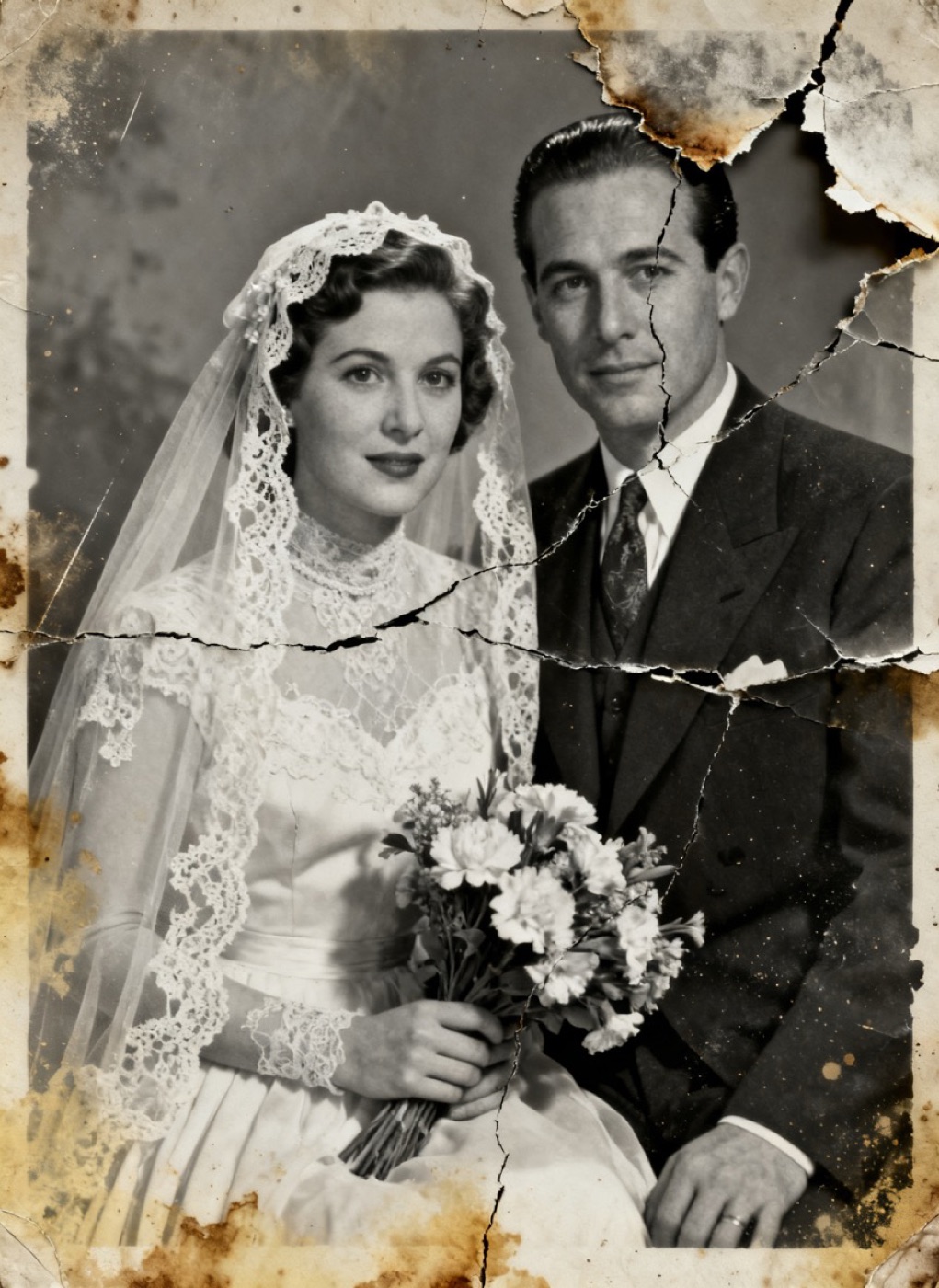
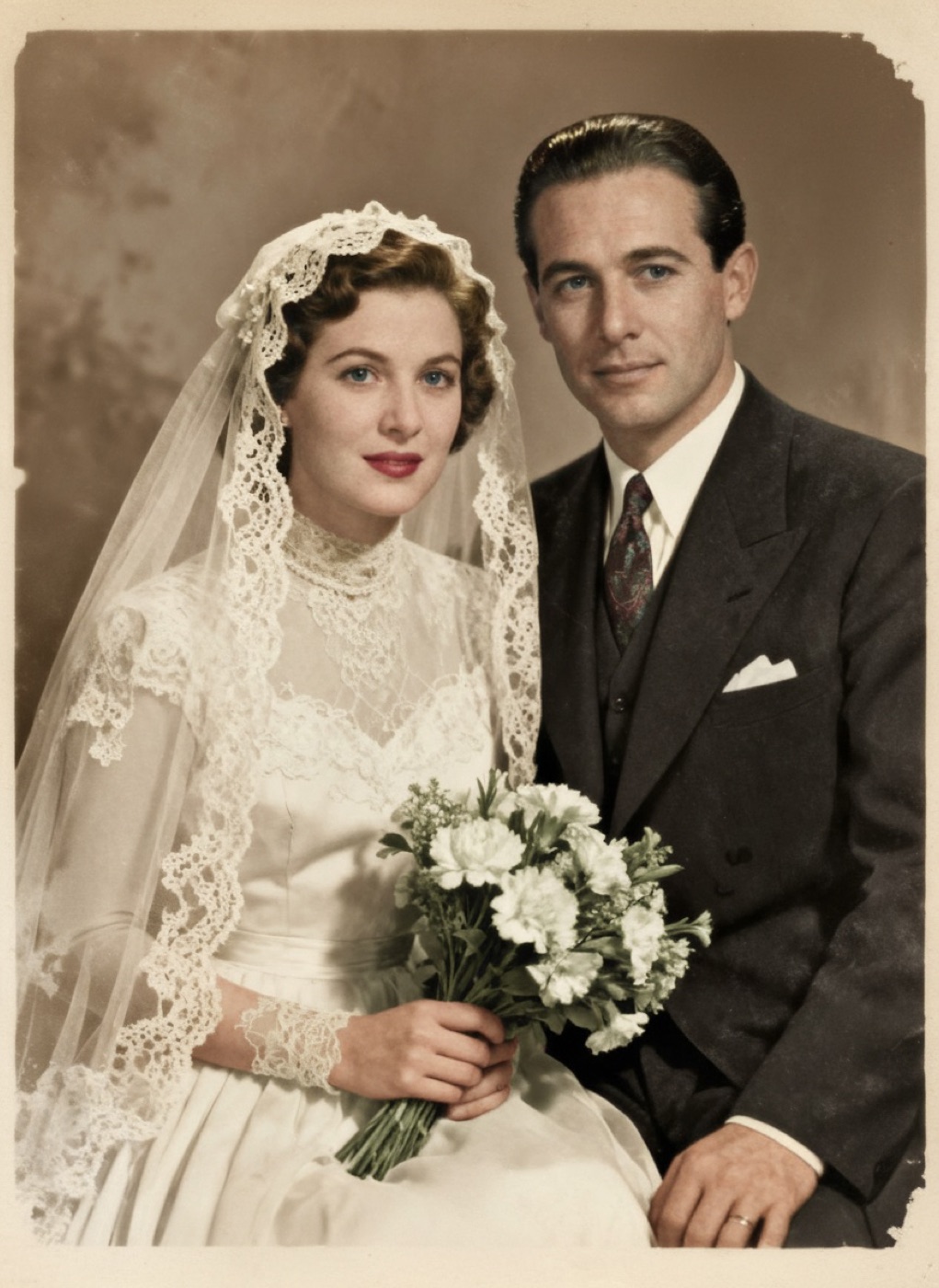
Wedding day, about 1946. Torn corner rebuilt. Cracks mended. Stains lifted.
This wedding portrait from about 1946 shows the damaged original and the restored version with color added. The veil, the flowers and the suit look natural, but the exact shades are an interpretation. If the bride's family remembered her bouquet as pink rather than white, that is the kind of detail you can ask for.
Asking for the colors you know
Families often know details the photo cannot show: grandpa's eyes were blue, the car was red, mom's dress was yellow. When you see the color preview, you can ask for a free re-do and write what should change, for example "her dress was light blue" or "his hair was red". The new version follows your notes where they fit, and you choose the one you like before paying.
Old family letters, a later color photo of the same person or the memory of a relative can all help. Simple, specific notes work best.
Black and white or color?
Color is a choice, not an upgrade, and both are included at the same price. Some thoughts that help people decide:
Choose black and white when the photo is a formal portrait, when you want it to look like the original you remember, or when it will hang with other black and white family photos. A well restored black and white print has deep blacks and clean whites, and it often looks more timeless.
Choose color when the photo shows everyday life, like a picnic, a street, a kitchen, and you want to feel closer to it, or when the photo is a gift for someone who never saw the person in life. Color makes the past look less distant.
Order both if you cannot decide. Some families print a black and white version for one wall and a color version for a grandparent or a sibling. You can preview both before you pay.
Hand tinted photos
Before color film was common, studios often painted color onto black and white prints by hand, with oils or watercolors: a blush on the cheeks, color in the lips and eyes, a tinted background. If you have a hand tinted photo, it can be restored with its own tints kept, by choosing color. Mention in a re-do note that the color should stay close to the original tinting if the preview drifts too far.
Faded color is different
A color photo from the 1960s or 1970s that has turned orange or pink is not a black and white photo. It already holds its original colors, just faded unevenly. That is color restoration rather than colorizing, and it is covered in our faded photos guide.
Photos that colorize especially well
Photos with plenty of detail and good contrast after restoration give the most natural color: sharp studio portraits, wedding photos and well lit outdoor snapshots. Wedding and wartime portraits from the 1940s often colorize well; our 1940s photos guide covers that era. For printing a color restoration, a lustre finish keeps skin tones soft and limits glare; our glossy vs lustre guide explains the difference.
Send a scan or a phone photo of the print. See the restored result before you pay.
Add color to a photoUpdated October 8, 2026